 Laneora
One Laneora sign-in
Dispatchers log in with a Laneora username and password. Board credentials stay with the agency admin.
Laneora is a Windows app by INDUS Web Agency that opens a shared freight load board with one Laneora sign-in. Dispatchers enter the username their admin gave them, and the Laneora Soft server opens the board session inside the app. No board passwords, no Chrome login.
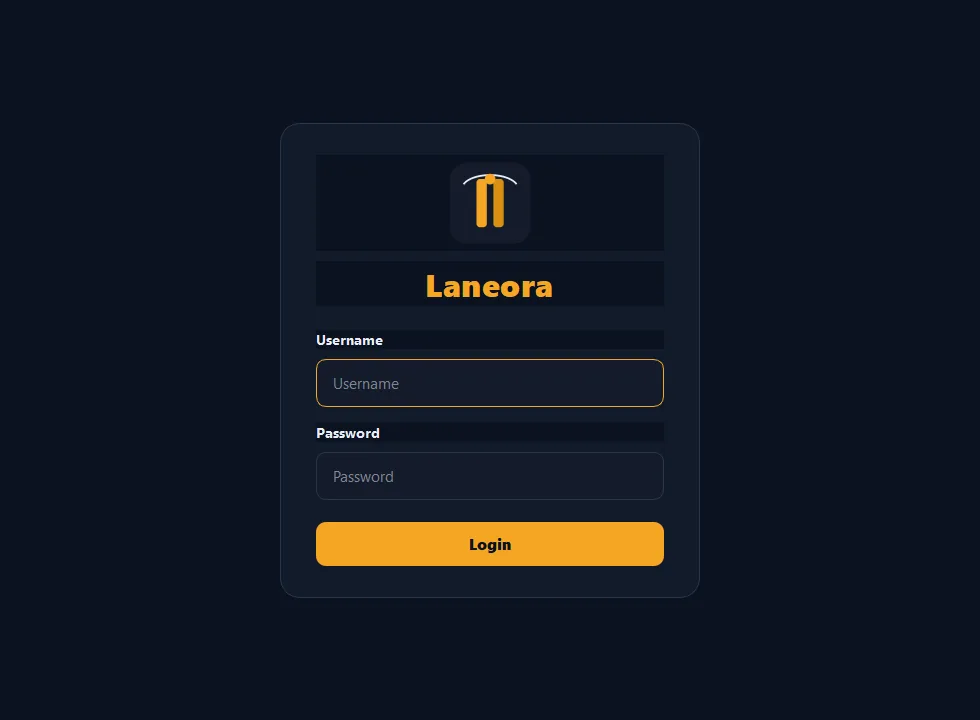
Laneora is a desktop client for shared freight-board access. A dispatch agency keeps one board session on its Laneora Soft server. Each dispatcher gets a personal Laneora login and plan. When they sign in, Soft checks the login and plan, then hands the app the shared session so load search opens in an embedded browser window.
Dispatchers log in with a Laneora username and password. Board credentials stay with the agency admin.
The board opens inside Laneora in its own load-search window. Open stream one or power and start searching.
Admins apply a plan per user. Once a plan ends, the next sign-in is refused until the admin extends it.
One active PC per login. Signing in on a second PC signs the first one out, so logins are not shared around.
The admin refreshes the shared board session on the server. Dispatchers never have to log in to the board themselves.
A single Laneora.exe plus a small launcher file. No installer wizard and no extra runtime to set up.
The system has three parts: the Laneora desktop app on each dispatcher's PC, the Laneora Soft server that checks logins, and the Soft admin desk where the agency manages users.
In the Soft admin desk, the admin adds a dispatcher username, password and plan.
Laneora sends the Laneora login to the Soft server over HTTPS.
If the login is valid and the plan is active, Soft returns the shared board session.
The board loads in Laneora's embedded window, ready for load search.


Download both files and keep them in the same folder. Laneora.exe is the app. Laneora-Soft.bat starts the app already pointed at the Soft sign-in server.
You need: a Windows 10 or 11 PC, a US static-IP VPN (for example Surfshark) on the same IP as your admin, and a Laneora username and password from your agency admin.
Installing Laneora takes about 10 minutes. Download two files, turn on your VPN, run the launcher and sign in with your Laneora account.
Download Laneora.exe and Laneora-Soft.bat. Move them into the same folder, for example C:\Laneora.
Install and connect a US static-IP VPN such as Surfshark. Use the same static IP your admin uses, because the shared board session expects that US address.
Double-click Laneora-Soft.bat. It points Laneora at the Soft server and opens the app. If Windows SmartScreen appears, click More info, then Run anyway.
@echo off
set LANEORA_SERVER_URL=https://laneora.induswebagency.com
set LANEORA_SOFT_FALLBACK_URL=https://laneora.induswebagency.com
set LANEORA_SOFT_FALLBACK=0
set LANEORA_SKIP_UPDATE=1
start "" "%~dp0Laneora.exe"Enter the Laneora username and password your admin created for you. Do not use your load-board login. You do not need to sign in to the board in Chrome.
Choose stream one or power. The board opens in Laneora's load-search window and you can start searching loads.
Laneora-Soft.bat so it connects to the right server.Key facts about the product and its maker.
| Product | Laneora |
|---|---|
| Current version | 2.3 |
| Type | Windows desktop client for shared freight load-board access |
| Platform | Windows 10 and Windows 11 |
| Built for | US freight dispatchers and dispatch agencies |
| System parts | Laneora desktop app, Laneora Soft sign-in server, Soft admin desk |
| Sign-in | Laneora (Soft) username and password issued by the agency admin |
| Maker | INDUS Web Agency, Islamabad, Pakistan |
| Contact | info@mail.induswebagency.com |
Short answers about downloading, installing and signing in to Laneora.
Laneora is a Windows desktop app by INDUS Web Agency that lets US freight dispatchers open a shared freight load board with one Laneora username. The Laneora Soft server checks the login and plan, then opens the board session inside the app.
Download Laneora v2.3 for Windows from this page: Laneora.exe and the launcher Laneora-Soft.bat. Keep both files in the same folder.
Use the Laneora (Soft) username and password your agency admin created for you. You do not enter load-board credentials and you do not need to sign in to the board in Chrome.
Yes. Connect a US static-IP VPN, such as Surfshark, on the same static IP your admin uses. The shared board session expects that same US egress IP.
No. Laneora runs in single-screen mode. Signing in with the same username on a second PC signs the first PC out.
The download is free. Using it requires a Laneora account and an active plan, which your agency admin sets up in the Soft admin desk.
The Soft admin desk is a web page for the agency admin. It creates dispatcher logins, applies or extends plans, resets passwords, disables users, and keeps the shared board session up to date.
No. Laneora v2.3 is a Windows desktop app for Windows 10 and Windows 11.
Yes, new unsigned business apps often trigger SmartScreen. Check the file came from this page (you can compare the SHA-256 shown in the download section), then choose More info and Run anyway.
Laneora is built and supported by INDUS Web Agency. Dispatchers get their login from their agency admin. Agencies that want to run Laneora for their team can contact us.